Mac-native audio workspace
Sound in.
Possibility out.
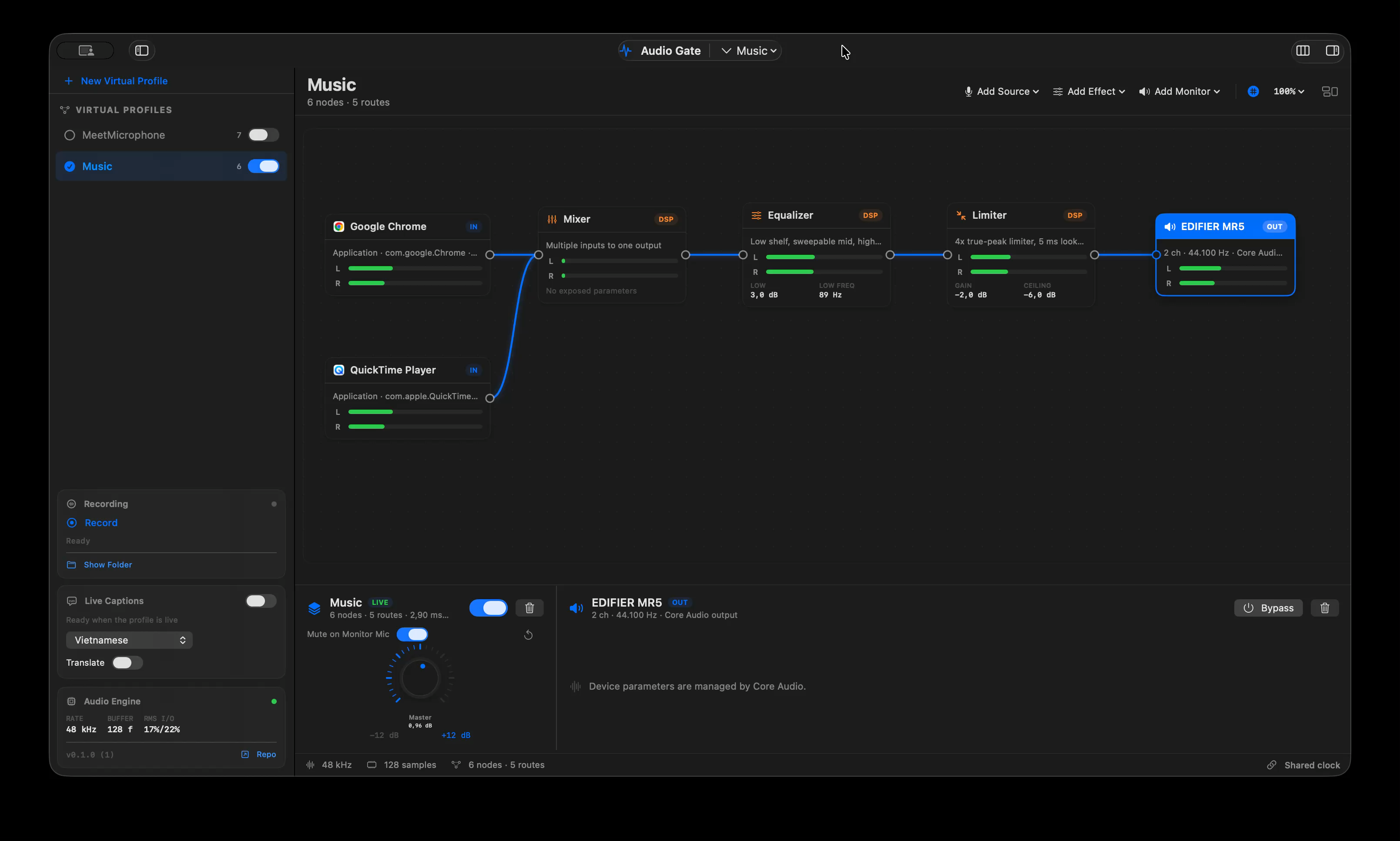
Audio Gate brings audio sources, effects, live captions, and WAV recordings into one visual workflow — right on your Mac.
Runs on macOS 12+ • Captions & translation require macOS 15
04 / What sets it apart
More than audio processing.
Audio Gate expands what sound can do.
Live transcription
Every word,
kept in the moment.
Turn live audio into captions without interrupting the signal you hear. Choose a language, start the route, and watch speech appear as it is recognized.
On-device speech recognitionWe want everyone to hear the
story as it happens, without
missing the rhythm of the room.
“Let’s begin together.”
“Empecemos juntos.”Live translator
Understand language,
without the wait.
Set a source and target language, then Audio Gate translates newly recognized speech with Apple Translation. Ideal for meetings, live content, and moments that need to be understood now.
Powered by Apple Translation on macOSPlugin effect
Your sound.
Your signature.
Build an unlimited processing chain with native effects and installed Audio Units. Adjust, bypass, and open a plug-in’s native editor without leaving your workflow.
Native effects + Audio Unit v2/v3Recording
Capture every
moment that matters.
Add Recorder to your graph and let Audio Gate write the complete post-effect signal to WAV — quietly in the background and safely away from the real-time audio path.
Stereo WAV · Stored locally on your MacOne route, every possibility
Your sound
doesn’t have to
travel alone.
- 01Bring sources into the graph
A microphone, app, or hardware input.
- 02Add what you need
Effects, captions, translation, or Recorder.
- 03Connect and enable the profile
Everything works together, live.
Ready to hear more?
Put sound
in its rightful place.
Audio Gate is for anyone who wants to do more with sound on their Mac.
Download Audio Gate for macOS ↓macOS 12+ · Free to download from GitHub Releases